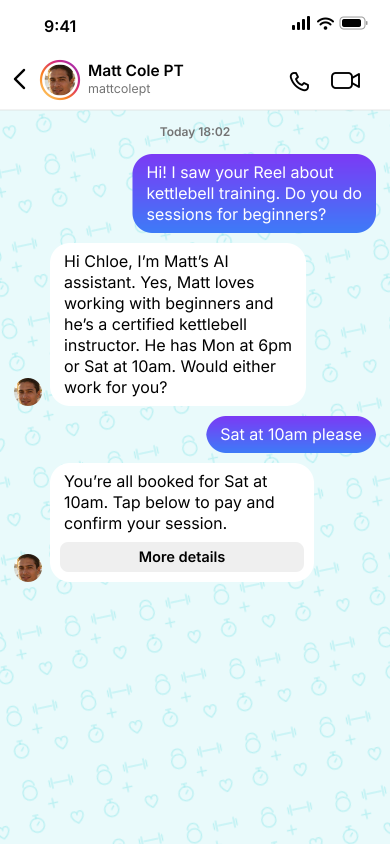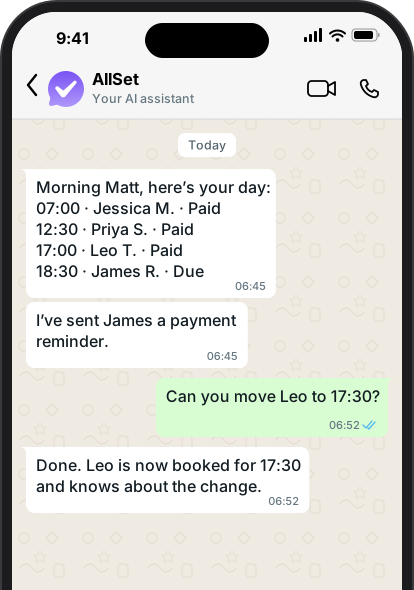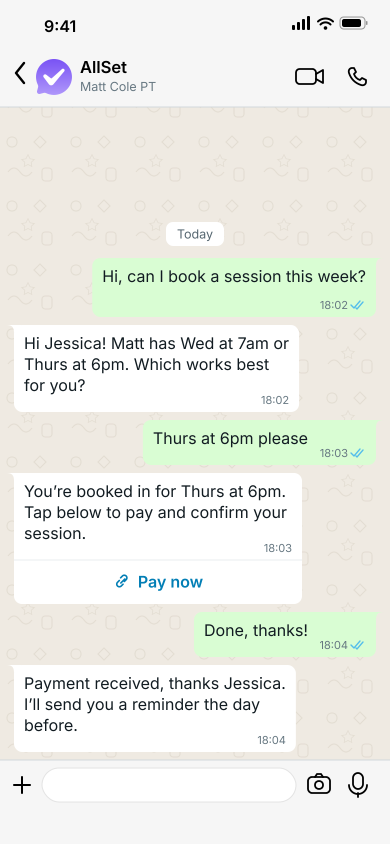
You can take bookings on WhatsApp in two ways. You can handle each conversation yourself with the free WhatsApp Business app, or you can let an assistant such as AllSet reply, offer times and book clients in for you. This guide walks through both, so you can start with whichever suits how busy you are.
Option 1: Take bookings yourself with WhatsApp Business
WhatsApp Business is a free app from WhatsApp for small businesses. It looks like the WhatsApp your clients already use, with a few extra tools that make bookings easier to manage.
- Set up your business profile. Add your business name, what you do, your area and your opening hours, so new clients know straight away that they've found the right person.
- Write a greeting message and an away message. The greeting welcomes someone the first time they message you, and the away message lets people know when you'll reply if you're with a client.
- Save quick replies. Most messages ask the same few things, such as your prices, where you work and how to book. Saving an answer to each one means you can reply in a couple of taps.
- List your services in the catalogue. Clients can see what you offer and how long each session lasts before they ask.
- Share your WhatsApp link. WhatsApp gives you a short link that opens a chat with you in one tap. Put it in your Instagram bio, on your Google profile and on your website.
- Keep one calendar. Check it before offering a time, confirm the booking in the chat, and send a reminder the day before.
This works well while you get a handful of messages a week. You're still the one reading every message, checking your calendar, sending payment details and chasing anyone who hasn't paid, so it gets harder to keep up with as you get busier.
Option 2: Let AllSet take your bookings
AllSet Pro is an AI assistant that runs your bookings on WhatsApp for you. It works on its own number, separate from your personal one, so it's like having an assistant with their own phone.
When a client messages, AllSet replies straight away, answers their questions, offers times that suit your availability and books them in. It takes payment in the same chat and sends reminders before each session. Each morning it sends you an agenda on WhatsApp. If a client hasn't paid, it asks whether to send them a reminder, and it invites clients back when they're due.
To get started:
- Sign up for AllSet Pro. Your first month is free, with no card needed.
- Set up your business in the dashboard. Add your services, prices and the hours you're happy to work.
- Tell your clients. The dashboard gives you a QR code and a ready-made message letting clients know they can now book and make changes through AllSet.
Which option should you choose?
If messages only arrive now and then, WhatsApp Business on its own is a good place to start. Once replying starts eating into your sessions or your evenings, or you're losing clients who booked with someone who answered faster, it's worth letting AllSet take over.
Common questions
Do my clients need to download anything? No. They message you on WhatsApp, just as they do now.
Will AllSet use my personal WhatsApp number? No. On WhatsApp, AllSet Pro has its own number, which your clients message to book, so your personal number stays your own.
How much does it cost? AllSet Pro includes your first month free, with no card needed. You'll find the current prices on our pricing page.